DealStats (formerly Pratt's Stats)
SUBSCRIBER SEARCH THE FULL PLATFORM >>
GUEST (NON-SUBSCRIBER) SEARCH >>
Welcome to the new generation of private and public company transaction comparables for valuation and M&A professionals. DealStats is a state-of-the-art platform that boasts the most complete financials on acquired companies in both the private and public sectors.
Every transaction in DealStats is rigorously reviewed by BVR’s dedicated team of financial analysts in real time. Whether you are valuing a business, deriving a sale price, benchmarking performance or conducting fairness opinion research, you won’t find more complete and trustworthy comparable data in any other source.
Purchase options: The annual subscription includes up to 1,000 unique transaction exports within one month and 500 unique transaction exports within a 24-hour period. The day pass includes access to DealStats for 24 hours and up to 200 unique transaction exports per day. Additional options for increased exports are available - contact us at sales@bvresources.com for more details.
Additional Product Details
- NEW! Industry Statistics Tool – Preview benchmark multiples of Sales, EBITDA, and SDE for sectors and industries with an easy-to-use companion tool.
- Defend your business value conclusions with real-world deals – Get detailed statistics and comprehensive summary reports that include financial ratios, valuation multiples, and profitability margins. Plus, get unique data on deal structures including payment terms, purchase price allocations, employment agreements, and more
- Customize your search and select the best multiples – Use the powerful search functionality to explore up to 202 data points, and to perform custom searches to save and revisit anytime!
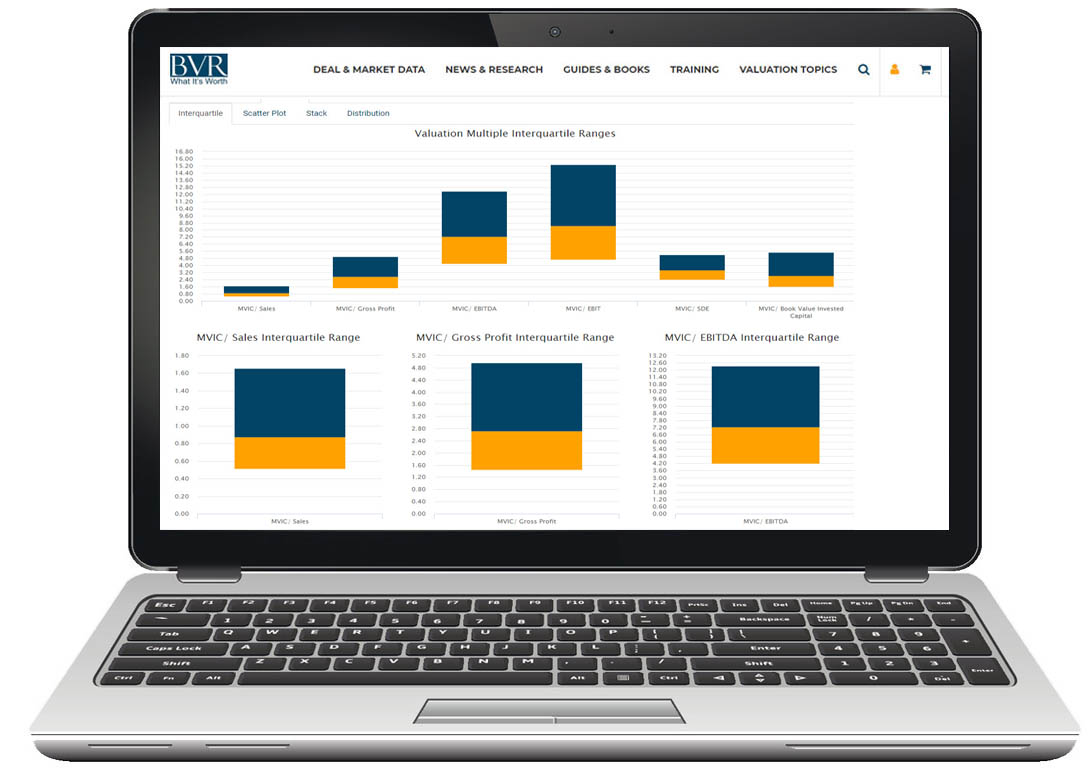
- Up your presentation game – Present your data visually with interquartile ranges, scatter plots, distribution graphs, and stacked bar charts
- Deal Alert -- Allows you to receive notifications when new transactions are added to DealStats based on your criteria!
- Search Summary -- Quickly view the search criteria you’ve used, see the counts that resulted from your selections, and remove or adjust any criteria.
- Analyze with confidence – BVR’s team of financial analysts rigorously review and publish new deals on a daily basis to ensure you never miss a comparable for your engagement
- Get a quarterly analysis of private company acquisitions – Each quarter subscribers receive the DealStats Value Index, a quarterly analysis of private company acquisitions from the DealStats database (not available to day pass buyers)
- Empower yourself with a trusted source – from its origins as Pratt’s Stats, DealStats continuously adapts to the evolving landscape of deal-making and valuation analysis. Learn more here >>


Free webinar
Watch our free webinar on DealStats (formerly Pratt's Stats) for a live demo of the platform and a comprehensive Q&A session. Watch full screen on YouTube >>
Become a Contributor Network member and submit your deals online for complimentary access to DealStats, as well as many other benefits, including:
- Your contact information will be listed in our "BVR Contributor Network database" where people often look to find intermediaries by name, location, or industry specialization
- Access to the DealStats Value Index - a quarterly publication analyzing private company acquisitions from the DealStats database
- The chance to be inducted into the DealStats Hall of Fame